SoundCloud Privacy Settings
User roles
Protocol steward, contributor, community record steward, curator, language steward, language contributor
SoundCloud offers limited privacy settings. For more information on these settings, visit SoundCloud Help Center: Share & Embed.
SoundCloud privacy settings
These privacy settings allow your tracks, albums, and playlists to be added to the Mukurtu media library and accessed by users. Content and media protocols apply.
- Public
- Private
Scheduled tracks are only available to paid Artist Pro subscribers. This feature allows you to schedule when your tracks shift from Private to Public. For more information visit SoundCloud's Scheduling a Release Date article.
SoundCloud embed settings
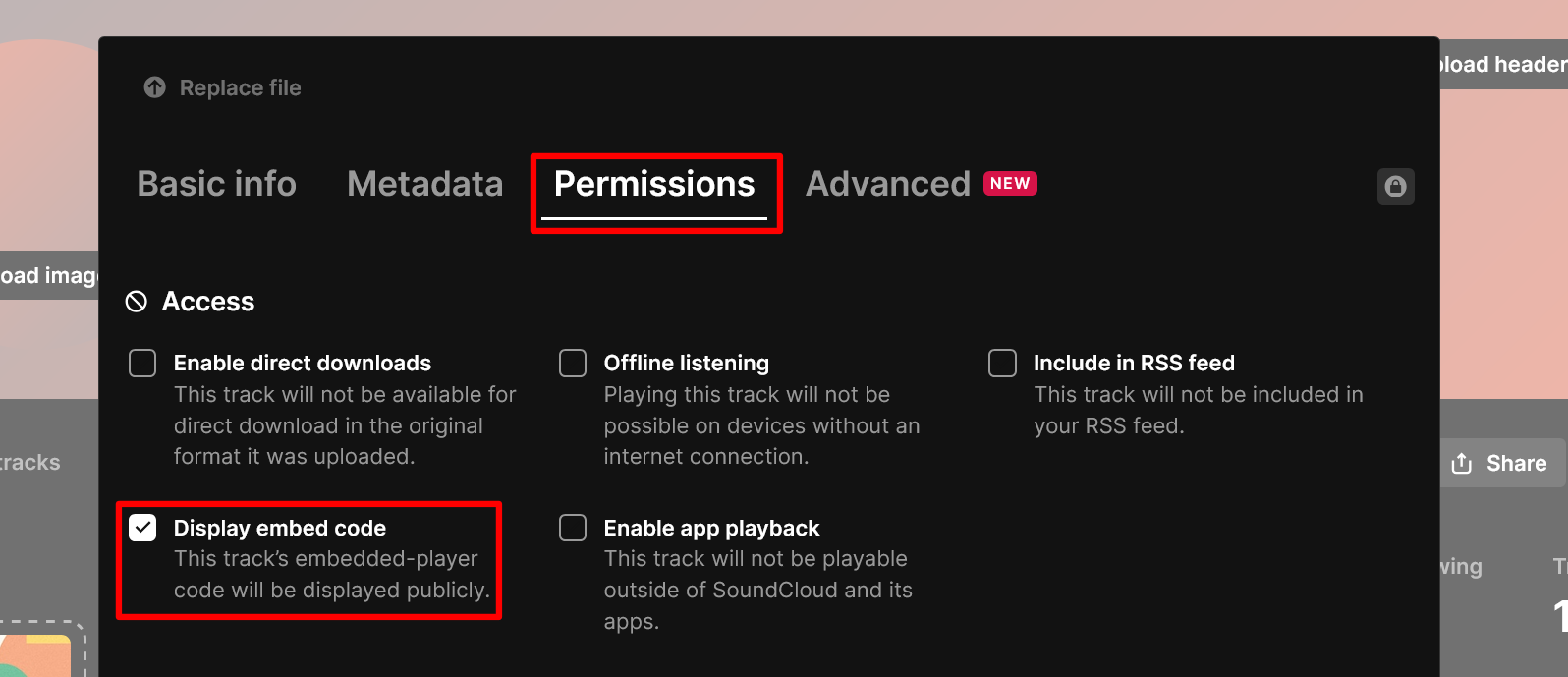
Mukurtu cannot display SoundCloud media assets in content items without an embedded-player code. To enable this setting, complete the following steps.
-
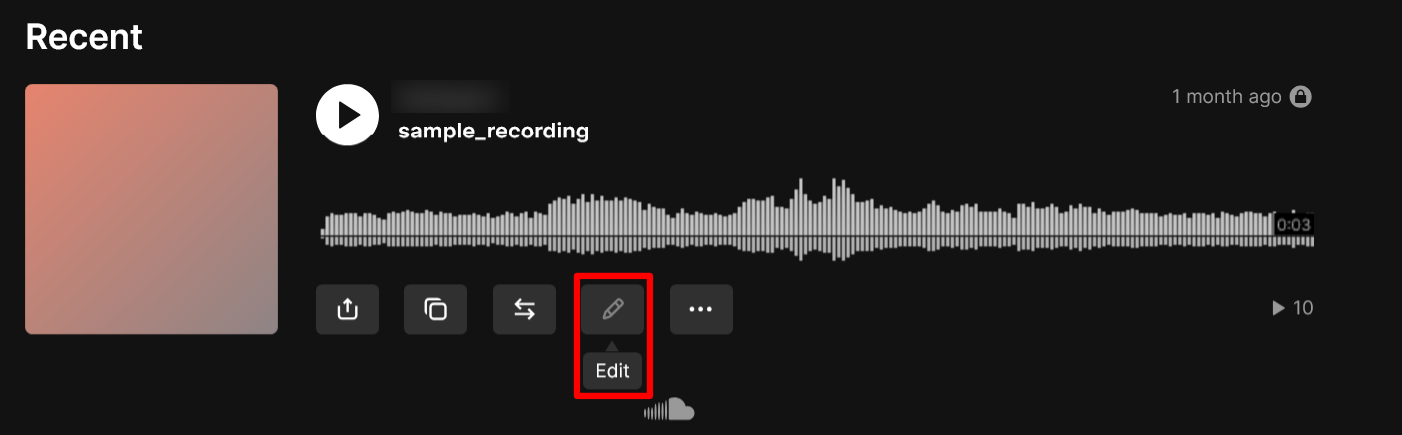
Select the "Edit" button on your SoundCloud asset.
-
Navigate to Permissions and make sure that Display embed code is selected. No other fields are required.
-
Select the "Save changes" button to save changes to your embed code.