Configure Site Language
User role
Mukurtu manager
By default, Mukurtu CMS installs and configures your site in English. You may wish to build a single language site in another language (eg: a site only in Spanish). Follow the directions below to configure your site in a language other than English.
- Refer to the Enable Multilingual Module article to enable Mukurtu Multilingual module and add a language to your site.
-
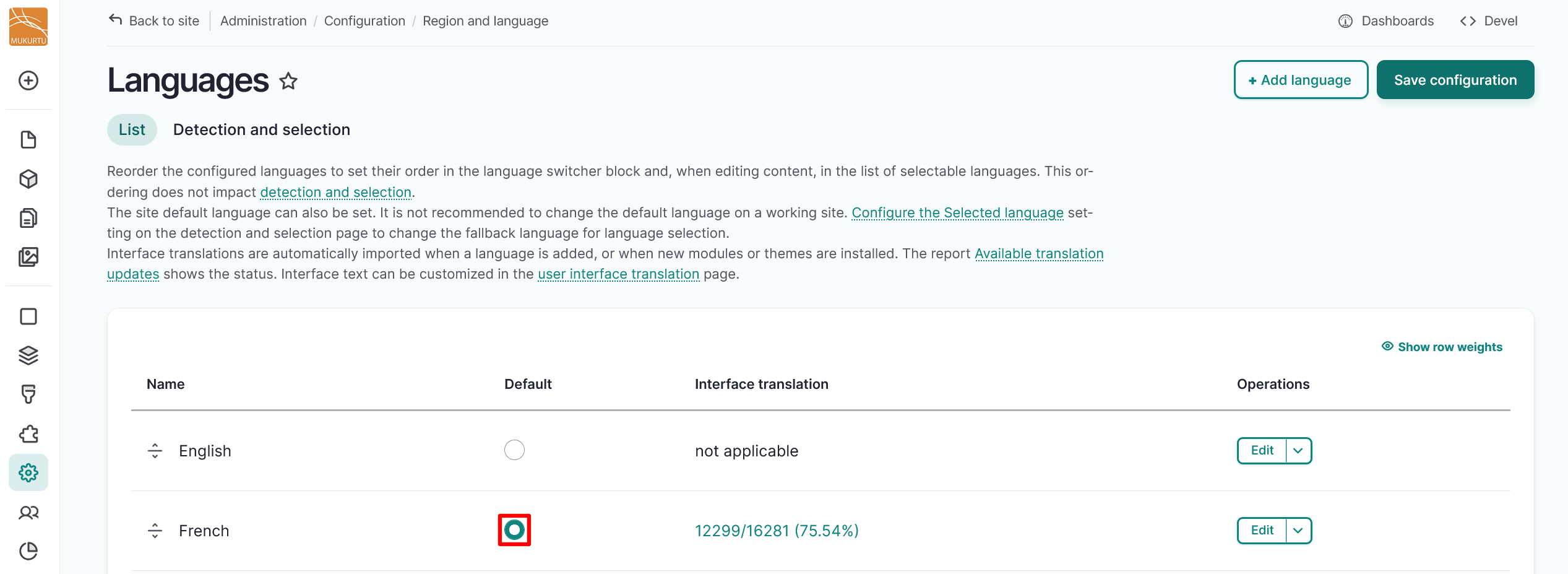
After adding your language, set it to default by selecting the radio selector to the right of your language in the Default column.
-
Select "Save Configuration".
-
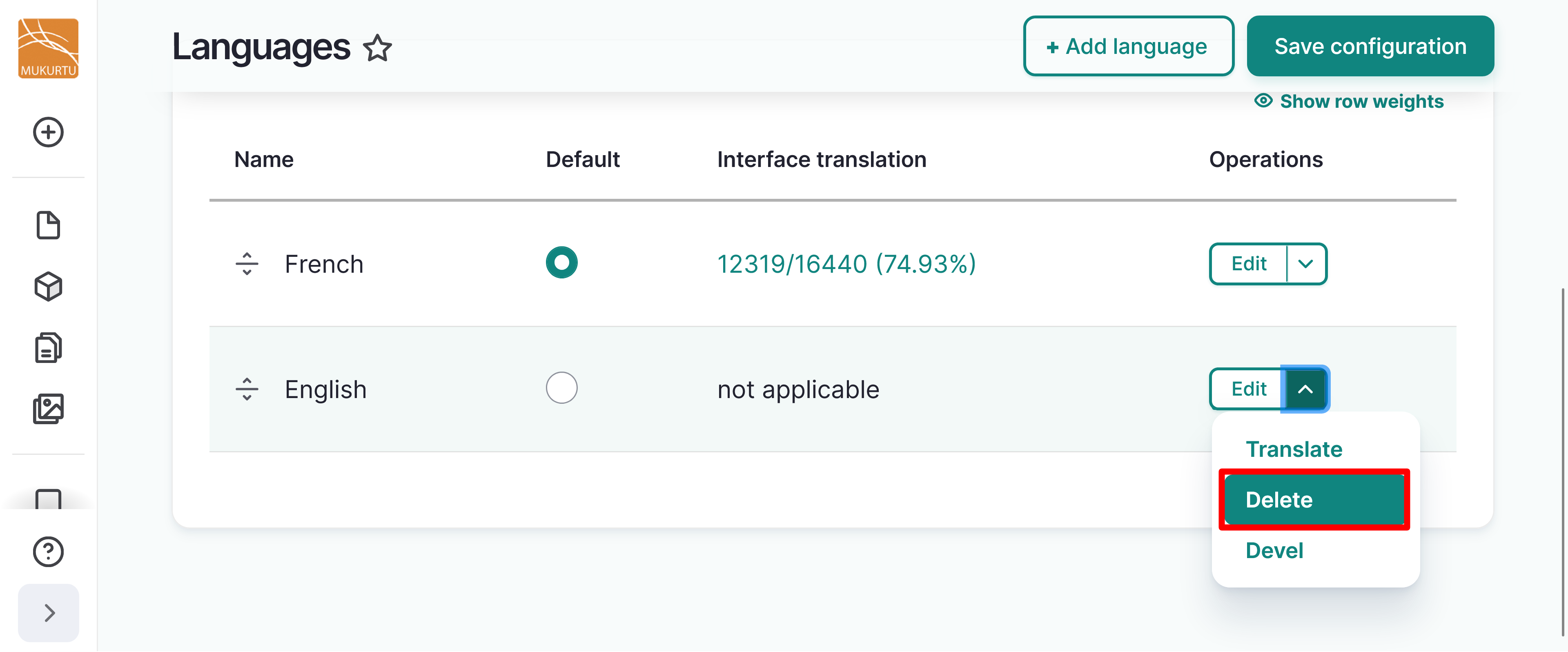
Delete English by selecting the Delete option from the dropdown menu.
-
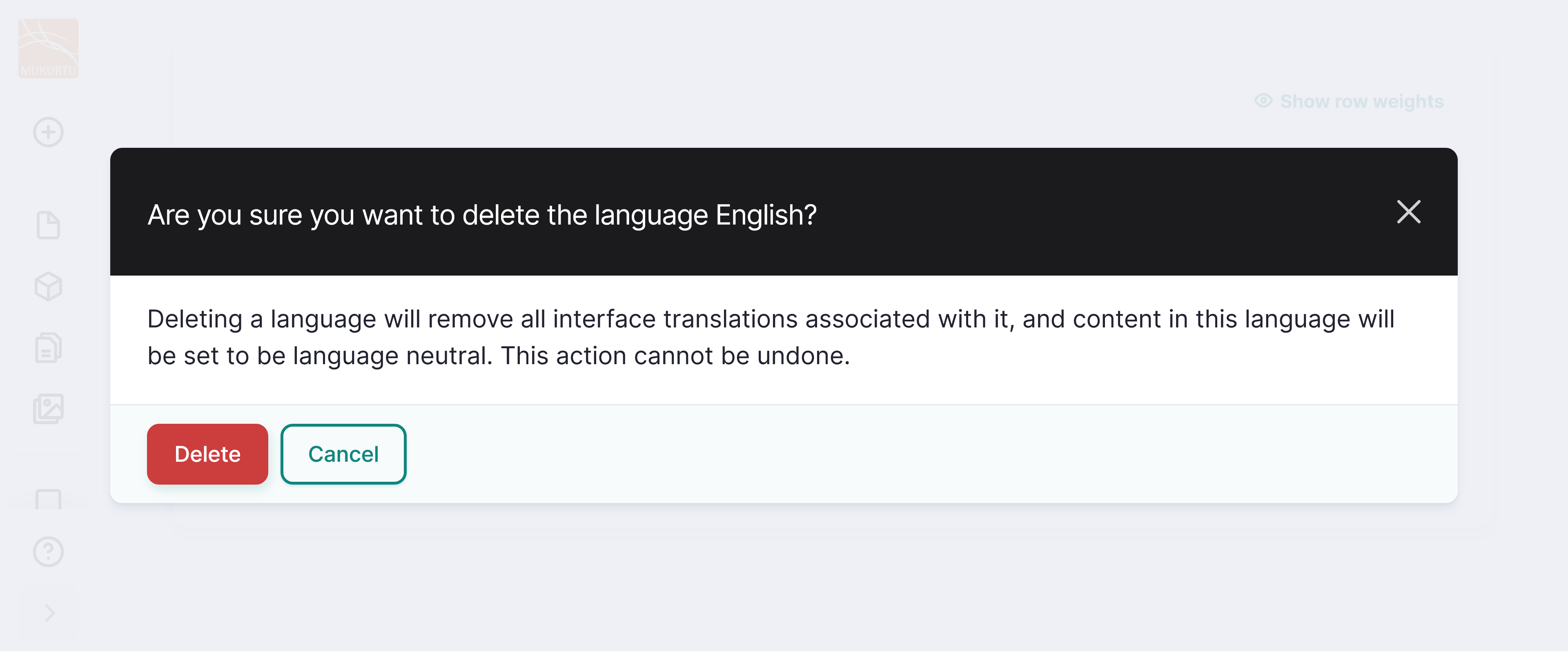
You will receive a confirmation message asking if you do want to delete English. Select "Delete".
-
Now that your language is configured, refer to the Configuration Translation and User Interface Translation articles to translate any configuration or user interface strings.
- New content does not need to be translated, and can simply be added in your preferred language.