YouTube Privacy Settings
User roles
Protocol steward, contributor, community record steward, curator, language steward, language contributor
YouTube privacy settings
Youtube offers limited privacy settings.
These privacy settings will allow your videos to be added to the Mukurtu media library and viewed by users. Content and media protocols apply.
- Public
- Unlisted
These privacy settings will not allow your videos to work as expected in Mukurtu.
- Private. You cannot add private videos to the media library. If a video is added and then set to private, it will no longer play in Mukurtu.
YouTube embed settings
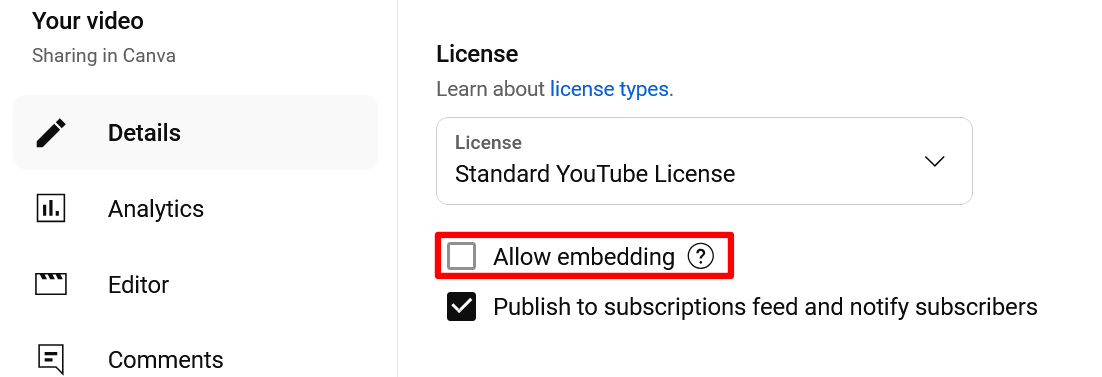
Mukurtu cannot display YouTube media assets if "Allow embedding" is not enabled. To allow embedding, complete the following steps.
-
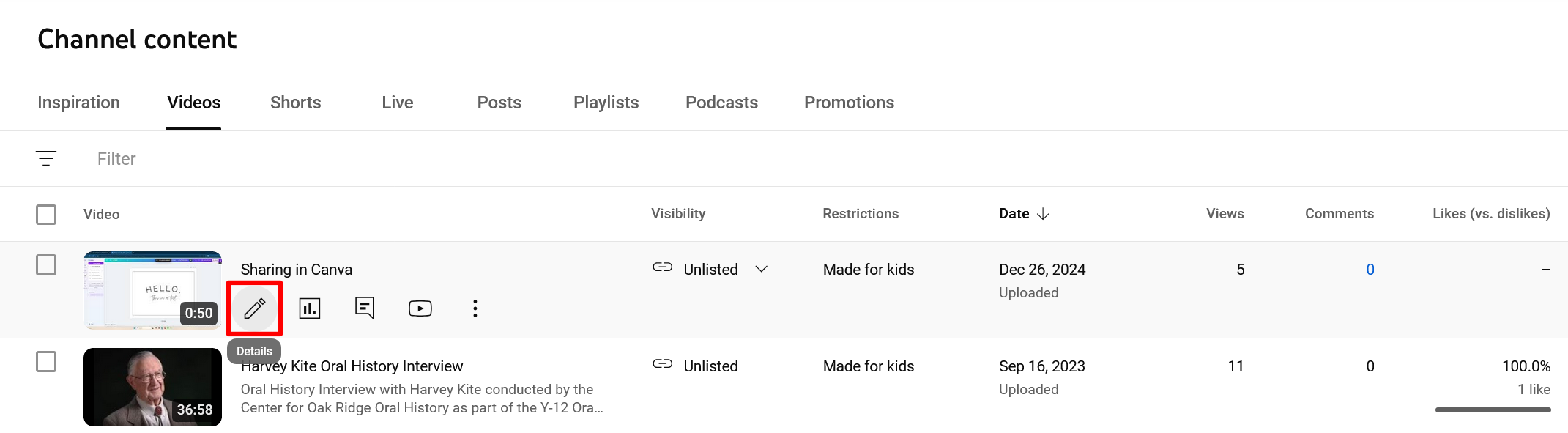
Navigate to your video's Video Details link.
-
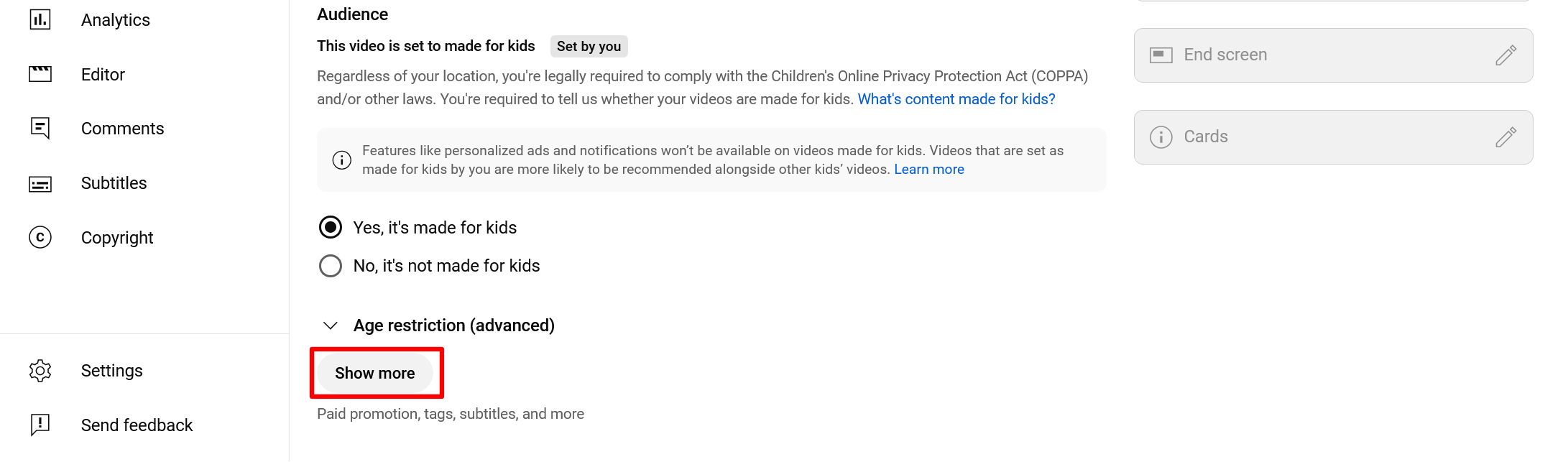
Select the Show more button to expand the page.
-
Navigate to Allow embedding and select the checkbox to allow your YouTube videos to be embedded in Mukurtu.