Configure Place Record Settings
User role
Mukurtu manager
Relevant taxonomies must be enabled before you can create a place record. To streamline this process, the location field is enabled by default, but you may choose to use additional taxonomy fields. Follow the instructions to enable the taxonomies.
-
Navigate to your Dashboard. Under Content settings, select the Place Record Settings link or go directly to
/admin/config/mukurtu/place-records.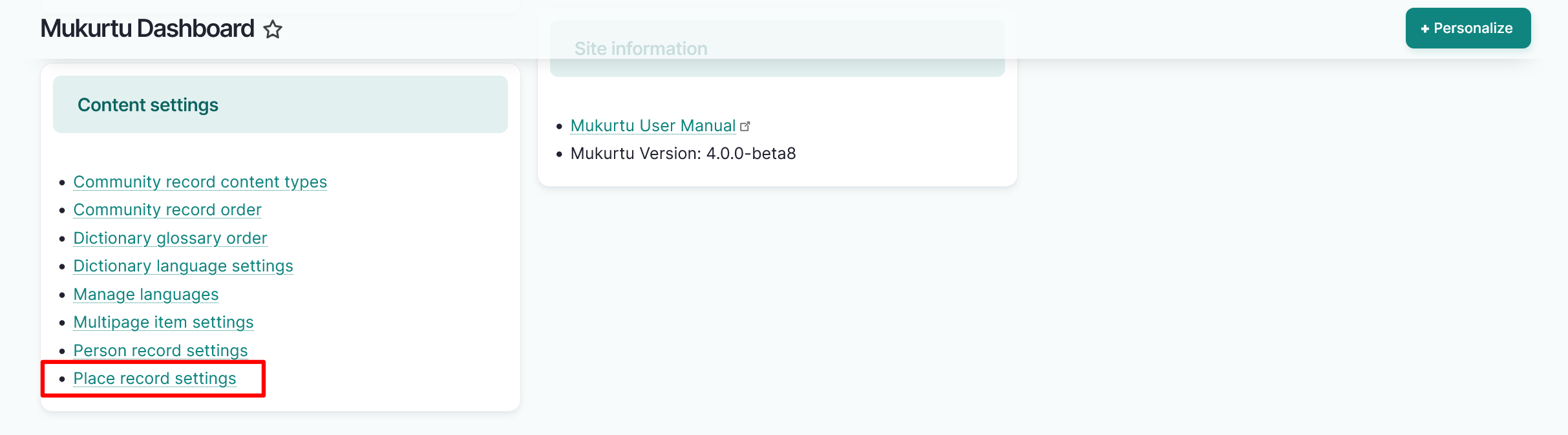
-
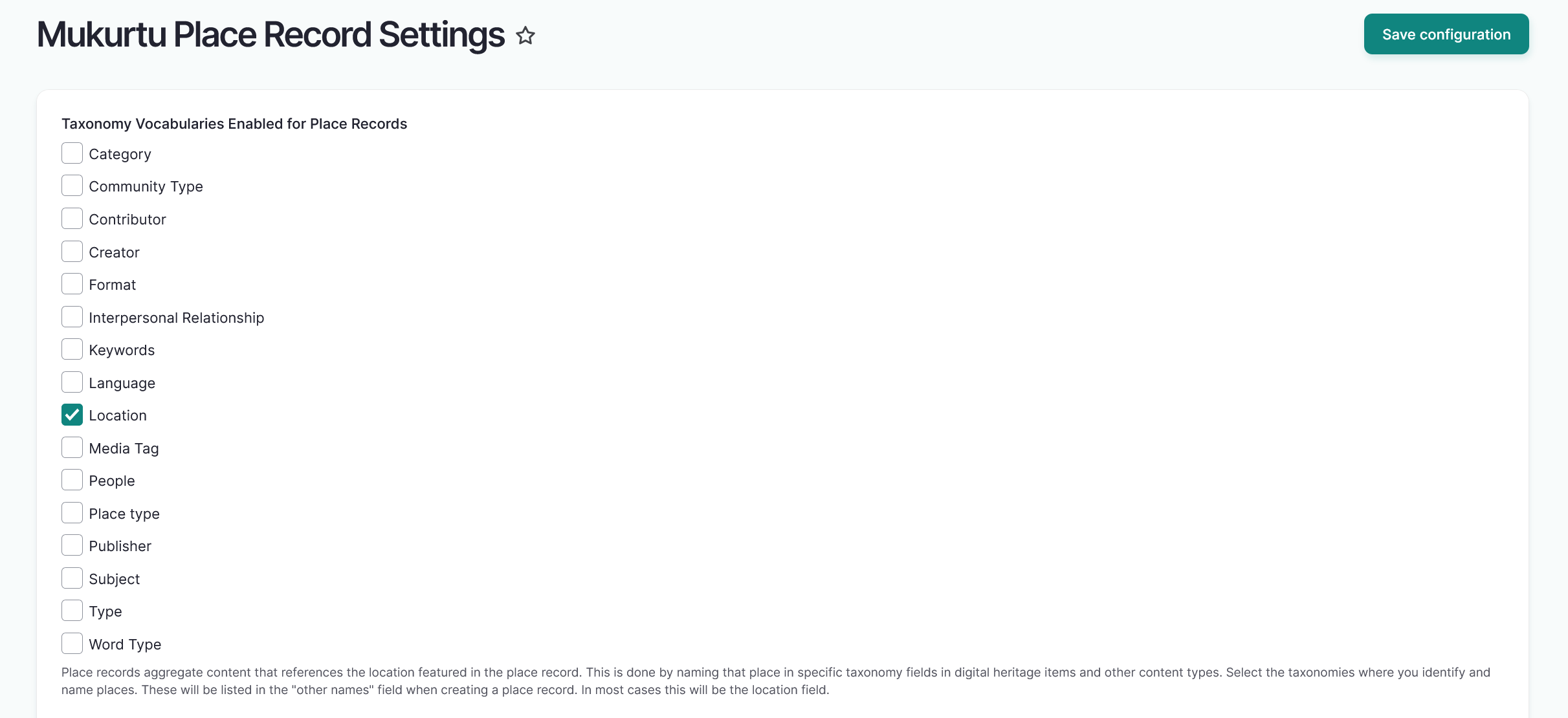
Select the checkboxes to the left of the taxonomies you want to enable. The Location taxonomy is enabled automatically. For place records to function optimally, this should remain selected.
-
Select the "Save configuration" button to enable these taxonomies. You will recieve a status message informing you that the configuration options have been saved.